Features / LIVE / Morning levels mail
The SPX levels in your inbox before the open.
At 08:45 New York time on each trading day, the previous session's close, high and low, the volume book's flip and walls with their distance from the close, the expected move, and the day's scheduled releases. On Mondays, the week's events and the one the archive says moves the tape.
LIVE.
Open the terminalIn the LIVE guide
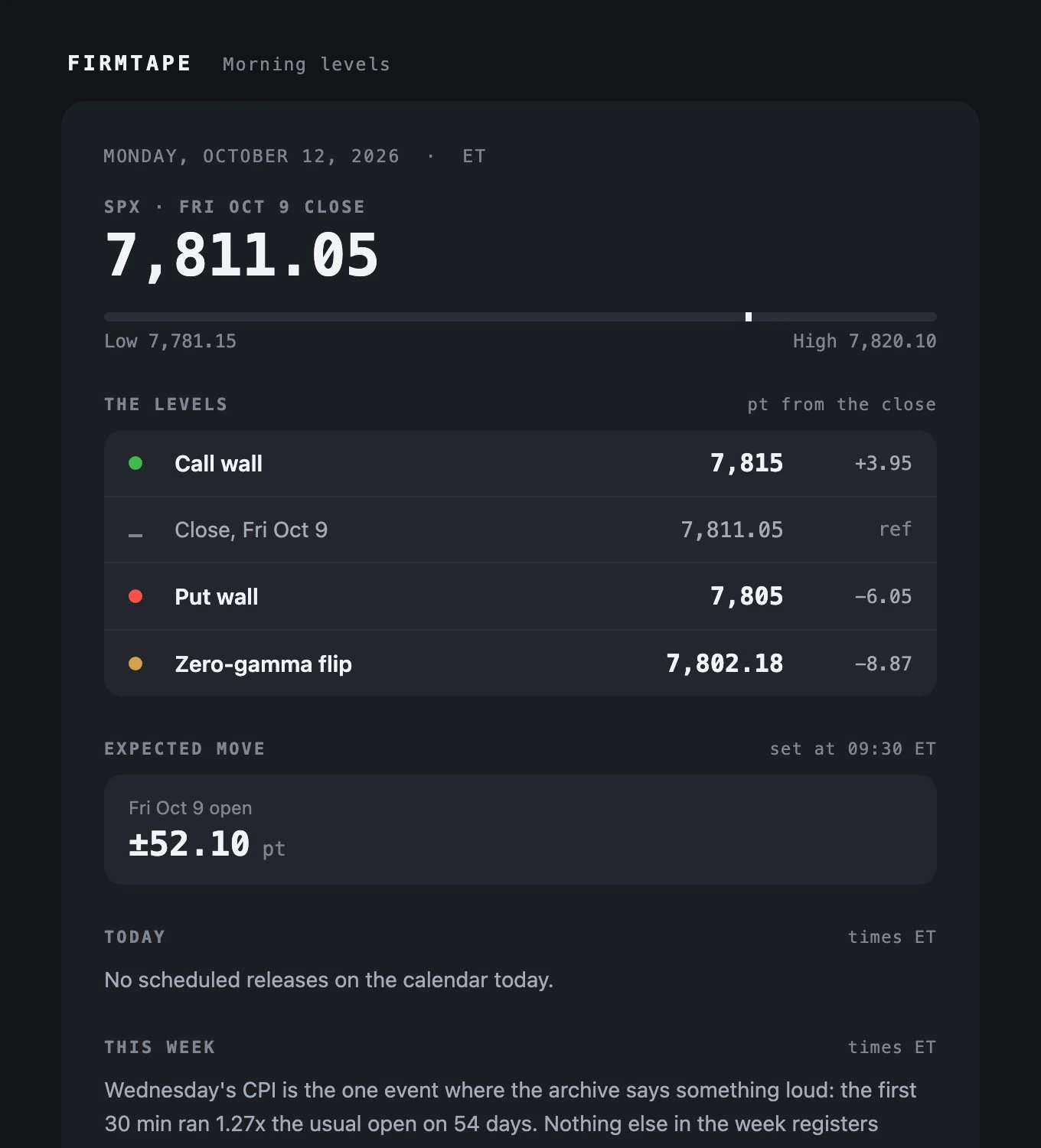
Why: the levels you need before the open, in your inbox, before you open the chart. Where: on by default with LIVE; Account, Mail switches it.
How to use it
- Keep Morning levels on under Account, Mail (it is on when LIVE starts).
- Read it at 08:45 New York time on each trading day.
- Switch it off with one click from the mail or under Account, Mail.
How to read it
- The levels are the previous session's, read at 15:45 ET: the book rebuilds from the open.
- The distance column is points from the close, not a target.
What it measures
The previous session's close, high and low; the volume book's flip and walls at 15:45 ET with their distance from the close; the expected move set at the previous open; today's scheduled releases; and on Mondays the week's events with the one that moved the archive most.
Limits
Trading days only. The same Mail pane holds What's new, a mail of the terminal's changes every second Monday.
Related
Questions
- When does it arrive?
- At 08:45 New York time on each trading day.
- Which levels does it carry?
- The volume book's zero-gamma flip, call wall and put wall as they stood at 15:45 ET on the previous session.
- How do I stop it?
- One click in the mail, or the switch under Account, Mail.
- Is it a forecast for the day?
- No. It reports where the book stood at yesterday's close and what the market charged for the move; the book rebuilds from the open.